
How to Place an Order Online For a Fundraiser
Group Selection is done on the cart page after you add products to your cart!
Once you Browse through the products and have them added to your cart you will want to go to your shopping cart page.
Step 1A: Select your Shopping Bag.

Step 1B: Then select one of the "Go to Cart Page" links from the slide out cart.

If you haven't already selected your group, continue to Step 1C otherwise go to Step 1E
Step 1C: You will be presented with the shopping cart page. It will contain all the products you have added to your cart. From here select "to support & pick up at a fundraiser group."

Step 1D: You will be redirected to another page for group selection. Use the search bar provided, find your group and click Select Group

Step 1E: You will then be directed to the cart page, where you will fill in the sellers name if applicable.

Step 1F: Check the check box, then click Check out & Pay .

Step 2: Fill in your personal information requested.

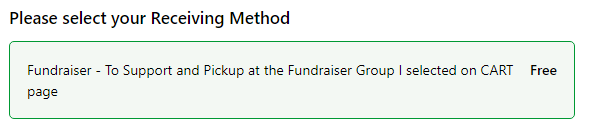
Step 3: Ensure Fundraiser - Support and Pickup at the Fundraiser Group I selected on CART page.
Final Step: Choose your desired method of payment, either by credit card or by sending an INTERAC e-Transfer to Glenlea Greenhouses. Fill in the required fields based on your preferred payment method and click PAY NOW to complete your order. You will then receive a order confirmation email. If you can not find your confirmation, check your SPAM folder.

Your order is forwarded to your school or group and will be ready to pick up on the date specified.
If you still have questions, do not hesitate to call (204-882-2626) or email us (info@glenleagreenhouses.com) and we will be glad to talk you through it.